
Your Inbox Is for Temporary Storage
Capture quickly, process regularly, keep it empty
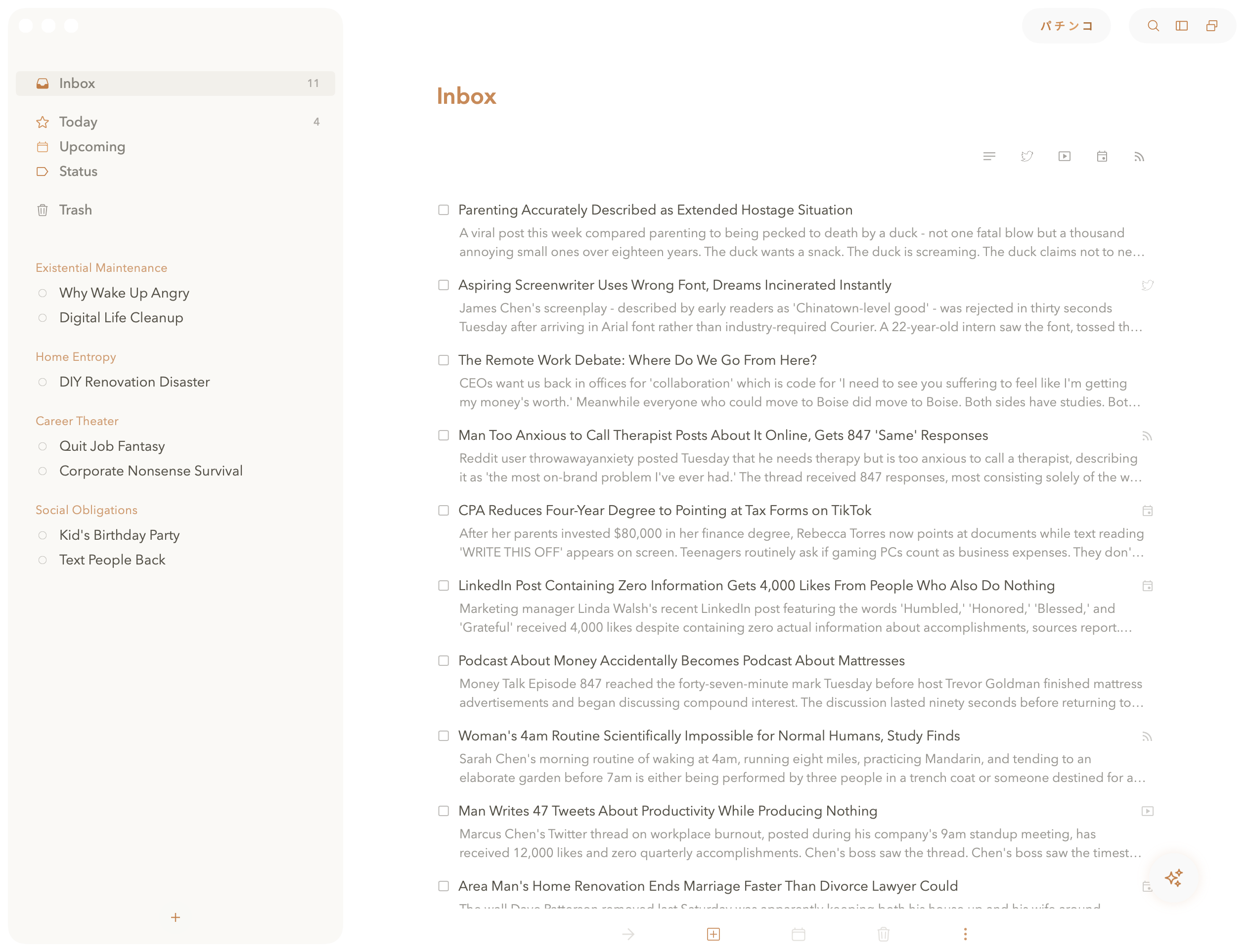
① Create quick notes. ② Collect information from other apps.
③ Process with Functions or Chat. ④ Move to Projects or Trash.
UNDERSTANDING INBOX
Inbox: The Entry Point for Everything
Your inbox is where all new items land before you've decided what to do with them. It's intended as a holding area, not a permanent home. When you capture a thought, clip a web article, or create a quick task, it goes here first. The goal is to get things out of your head immediately, then process them later when you have time to think clearly.
In my opinion, you should hoard every last article, email, tweet, and idea that's ever crossed your path and let it marinate in your inbox. Someday, when AI is good enough, it will sort everything out. You'll look efficient, and prescient. They might even call you Nostradamus. They won't, but they might.
Quick notes, clipped articles, emails, links, and rough thoughts land here first.
Keep related fragments together when the shape of the work is still forming.
Use chat or functions when raw material needs to become something more useful.
Send it to Today, Projects, Areas, or Trash once you know what it is.
The Erich vs Gary Philosophy
Gary's take: "Inbox Zero is not optional. Process daily or drown in chaos."
Erich's take: "You can have 847 items in your inbox, but you have to feel bad about it."
HOW TO TRIAGE
The Two-Second Decision
Processing your inbox should be fast. If it's something you need to do soon, drag it to Today. If it's part of a bigger project, drag it to the relevant project folder. If it's just information you want to keep, move it to a relevant Area or Project. The key is making quick decisions without overthinking. You can always move things later if you change your mind.
Power Move #1: Group Related Items
Captured several related tasks-like research links for the same topic or steps you're considering for a goal? Select them, right-click, and hit Group.
This creates a section in your inbox that keeps them together. You can leave the group in your inbox to work through later, or drag the entire group to a project or area when you're ready. Groups stay together wherever you move them, which beats creating a formal project for every cluster of related thoughts.
Power Move #2: Use Functions
Set up a Function and drop notes onto it to automatically process it using AI rules. Go far beyond extracting keypoints, summaries, and insights. (though you can do that, too)
Processing Steps
Avoid These Habits
- Letting items age That 3-week-old task? You forgot what it means
- Overthinking placement Perfect organization doesn't exist, just pick something
- Skipping daily review Your inbox will evolve into a digital archaeological site. Future you will hate past you.
- Leaving projects as tasks If it takes multiple steps to complete, make it a project. "Plan vacation" isn't a task, it's a project with research, booking, packing steps.