
Timeline View:
Everything Happening Today, In One Place
Calendar events and reminders - together at last
Everything happening today in one unified view.
PACHINKO-050 / TIMELINE.PNG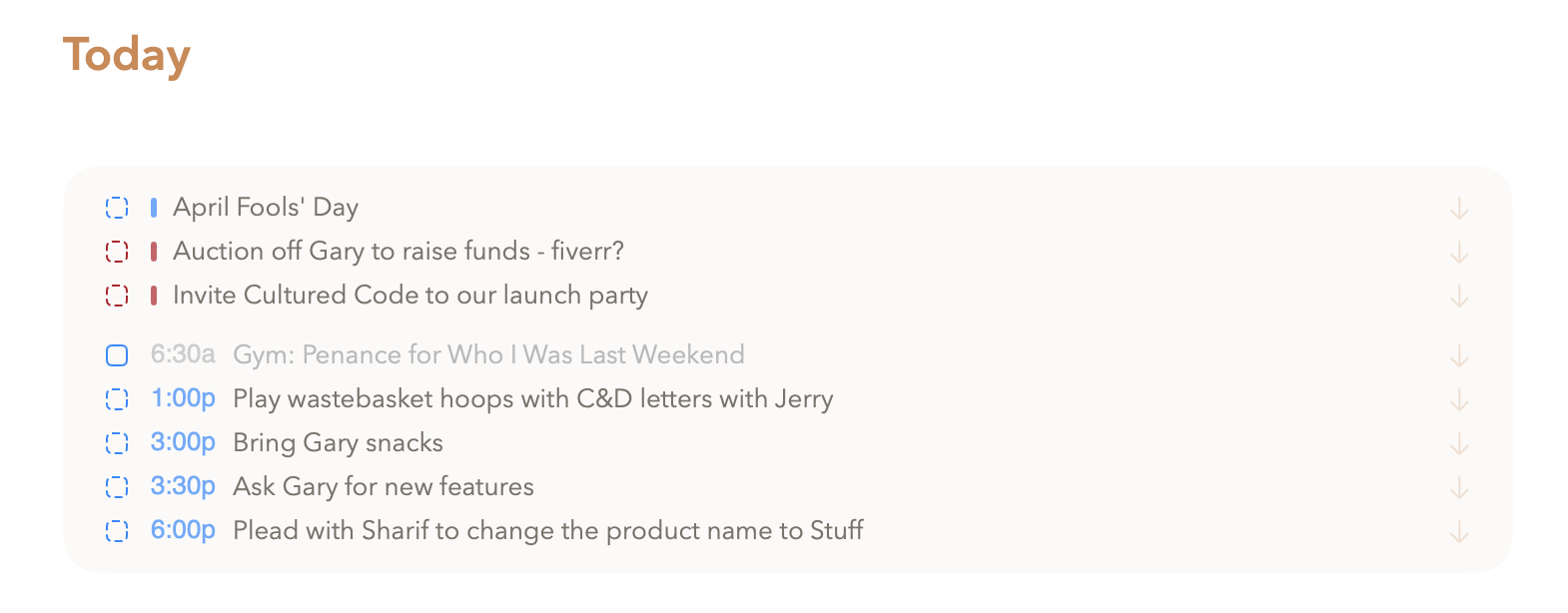
① View calendar events and reminders in Timeline. ② Click any item to see details.
③ Click import arrow to create a note from it. ④ Add notes or use AI to prep.
HOW TIMELINE VIEW WORKS
See Your Calendar Events and Reminders Together
Timeline View shows your calendar events and reminders for the day, all in one place. No more switching between your calendar app and Pachinko to figure out what's actually happening. Click any item to see details at a glance. Click the import arrow to create a note from it - then use AI to help prepare an agenda, draft talking points, or just add your own notes manually. It's the view that answers "what am I supposed to be doing right now?" Gary thinks my auctioning him off to fiverr is a joke. Sure Gary.
WHERE YOU'LL SEE TIMELINE VIEW
Today, Inbox, and Upcoming
Timeline View appears in three places. In Today view, you see calendar events and reminders for today. In Inbox view, you see reminders that don't have a due date assigned yet. In Upcoming view, you see the timeline for future days, so you can prep ahead.