
Task Notes:
Keep Context Where It Belongs
Stop hunting for details across five different apps
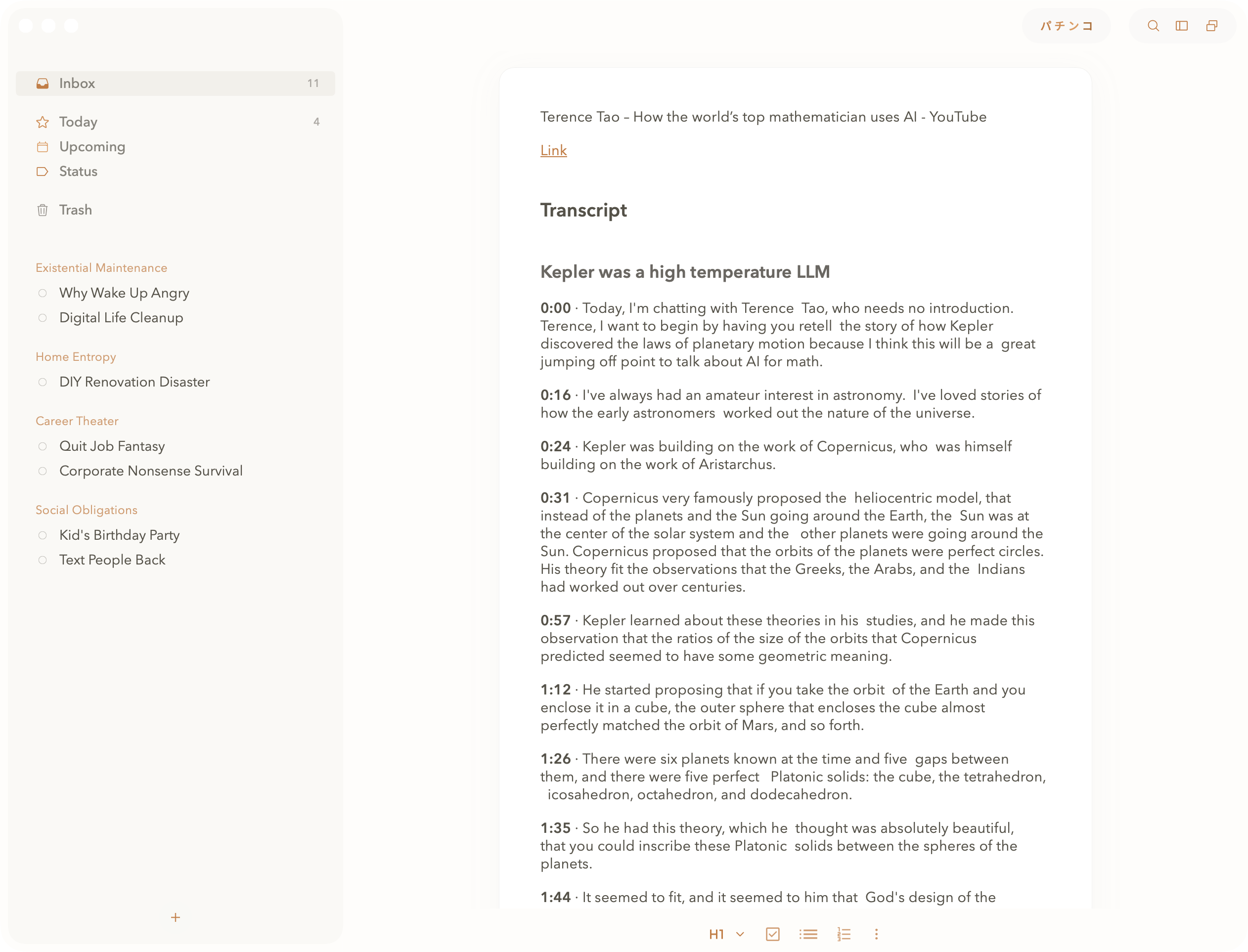
① Add context to tasks with rich text. ② Embed screenshots and visuals.
③ Format with bold, headers, and lists. ④ Richer notes give AI better results.
WHAT TASK NOTES OFFER
Rich Documentation Built In
Task notes let you add detailed context to any task using rich text formatting, and embedded images. Keep everything relevant in one place instead of scattered across multiple tools where you'll never find it again.
We don't support file attachments (e.g. PDFs) directly - yet. With MCP enabled, external tools like Claude Code can read PDFs and feed the content into your Pachinko notes and functions. And we're working on another top-secret product to make native file attachments absolutely delightful.
RICH TEXT FORMATTING
TipTap 2 Powers Your Notes
Pachinko uses TipTap 2 for rich text editing - the same powerful editor driving large sites like GitLab and Substack. It's proper rich text, not markdown. Format text visually with keyboard shortcuts or the toolbar. What you see is what you get, no syntax to remember.