
Today View:
Your Daily Dashboard
Three sections to organize your entire day
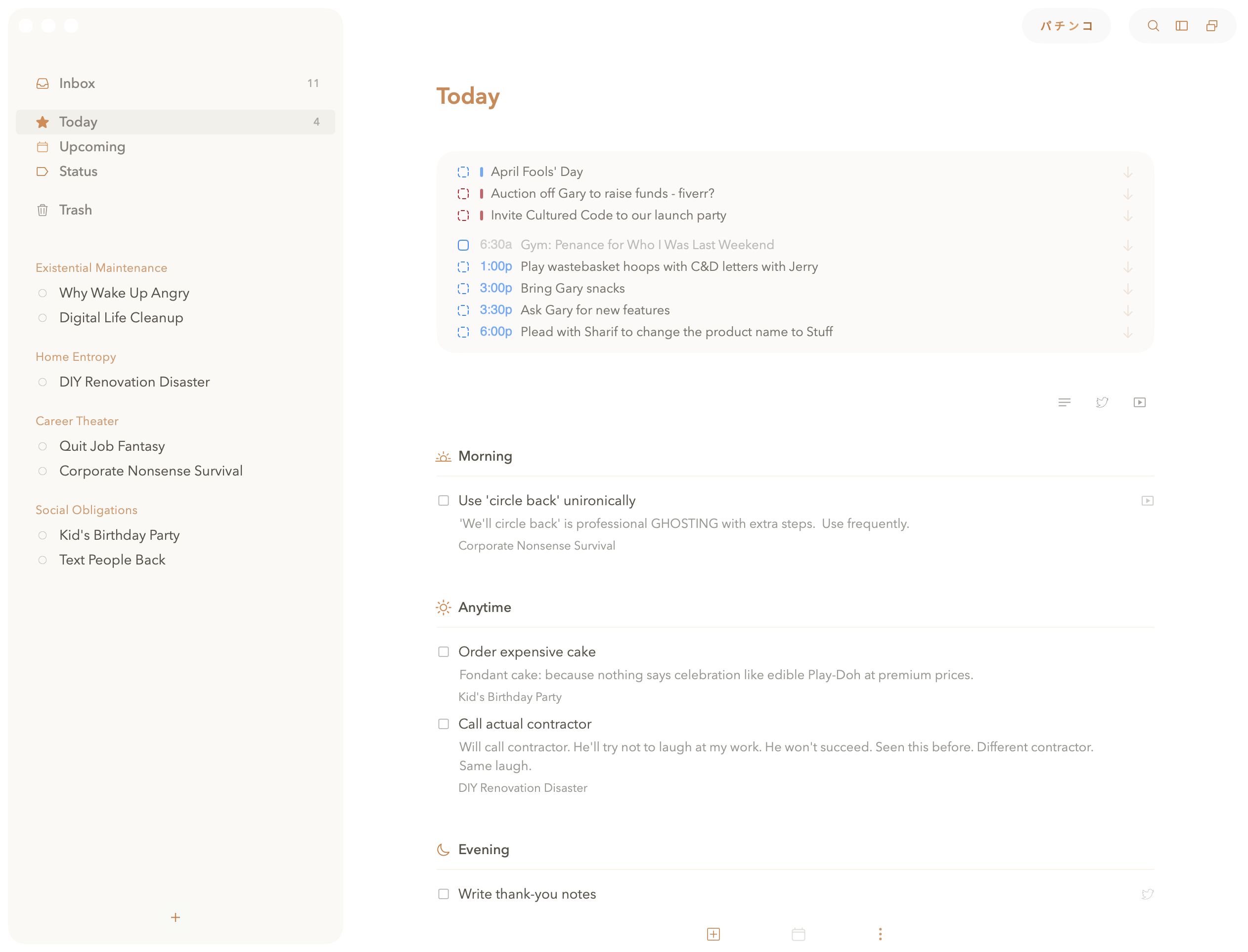
① Add morning tasks for what you tackle first. ② Add anytime tasks for flexible work.
③ Add evening tasks for end-of-day winddown. ④ Drag between sections as your day evolves.
HOW TODAY VIEW WORKS
Three Time Blocks for Different Task Types
Today View divides your day into three flexible sections: Morning, Anytime, and Evening. These aren't strict time blocks - they're organizational tools to help you think about when different tasks make sense. Morning tasks are things you want to tackle first, Anytime tasks can happen whenever you have a free moment, and Evening tasks are best saved for the end of your day.
The key to using Today View effectively is being selective. Don't be like me and dump your entire project list into Today and call it planning. A focused list keeps you moving forward. An overwhelming list makes you want to close the app and check what's new on the internet instead.
Gary puts exactly 3-5 tasks in Today. He calls this "realistic planning." I sometimes put 47. He says I'm setting myself up for failure. I say I'm increasing my chances of completing at least one thing. Both of us studied math in college. One of us apparently slept through stats.