
Status View:
Organize Across Projects
Set status on tasks and projects to track progress your way
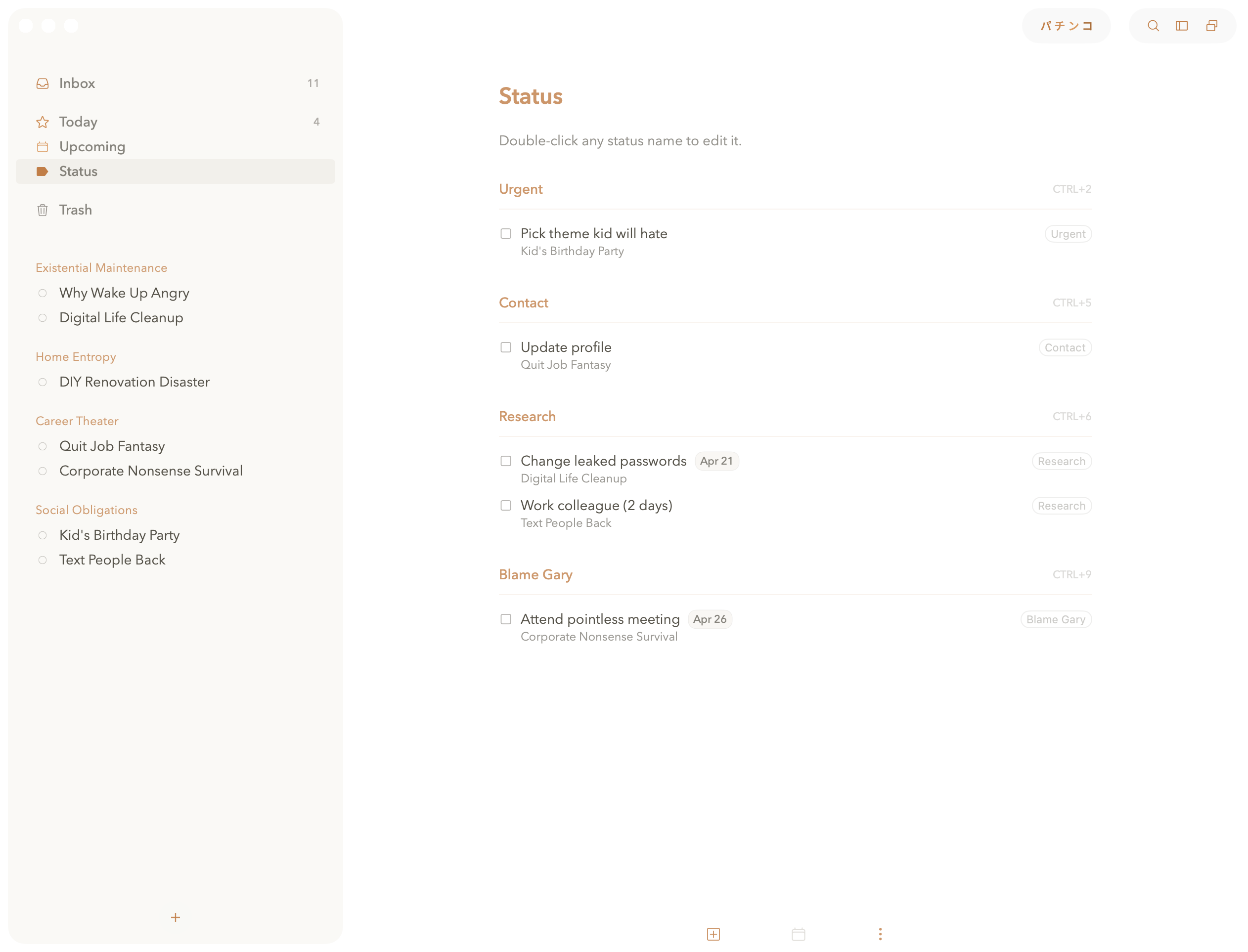
① Set status on tasks with CTRL+(0-9). ② Open Status View to see all tasks by status across projects.
③ Drag tasks between status groups. ④ Customize status names to match how you think.
HOW STATUS VIEW WORKS
Status View: Track Progress Your Way
Not all tasks are as a simple as completed or not. Often, they're in various stages, like waiting on someone or for further research.
Status View uses a small, deliberate set of statuses to reflect this. They capture where a task is in its life. Status View shows you all tasks and projects with a specific status, no matter which project they live in. This makes it easy to focus on work by state rather than by project hierarchy.
We're all about hierarchy and organization, but sometimes you have to fight the man and slice through the bureaucracy. Ammarite?
The power of Status View is its refined language for progress. Your projects organize tasks by outcome (like "Teach Gary Which Fork is For Salad"), while statuses describe motion and flow. Set status with CTRL+(0-9) for lightning-fast workflows.
I use exactly 1 status: "Blame Gary." (Ctrl+9).
USING STATUS EFFECTIVELY
A Minimal Language for Progress
Oh, you want to hear more about the status philosophy? Cool, you're our kind of folk and we should probably hang out IRL. This system is minimal and honest - a deliberate language for progress. We eschewed going wild with limitless tagging because we found too many labels leads to spending too much time gardening your ontology, and when everything is a label, nothing stands out.
But here's the thing: you can rename any status to match how you think. Just edit the status names directly in Status View. The defaults (Active, Urgent, Next, Waiting, Contact, Research, Plan, Advance, Blame Gary) are designed so the first group focuses on execution and flow - simple, human states that don't overthink hierarchy - while the next three are more involved follow-ups. And blaming Gary is the philosophical bedrock of all great productivity systems.
How to Use Status View
The 10 Statuses (Customizable)
- No Status Unclassified, inbox state
- Active In motion; you're working on it
- Urgent Demands immediate attention
- Next Queued up and ready
- Waiting Paused on something external
- Contact Needs a nudge, reply, or reach-out. Introverts, let's batch the misery together and kill them all at once, ya?
- Research Gather facts, context, or background
- Plan Shape the structure or approach
- Advance Determine next best steps and move forward
- Blame Gary For when Gary has failed you, yet again